If you are choosing between WAV or FLAC, the best option depends on what you need the audio file for. Both can preserve audio without the quality loss associated with MP3, but they handle that audio differently.
WAV files are commonly used as uncompressed PCM audio, while FLAC uses lossless compression to reduce file size without changing the original audio data.
This difference matters when you are recording music, editing audio, archiving a collection, sharing large files, or simply trying to save storage space.
Many people assume WAV automatically sounds better because it is larger, but that is not necessarily true. A properly encoded FLAC file can decode back to the same PCM audio data.
In this guide, you will learn what WAV and FLAC mean, how they differ in quality, size, compatibility, editing, metadata, and everyday use, and which format makes the most sense for different situations.
WAV or FLAC: The Quick Answer for Searchers
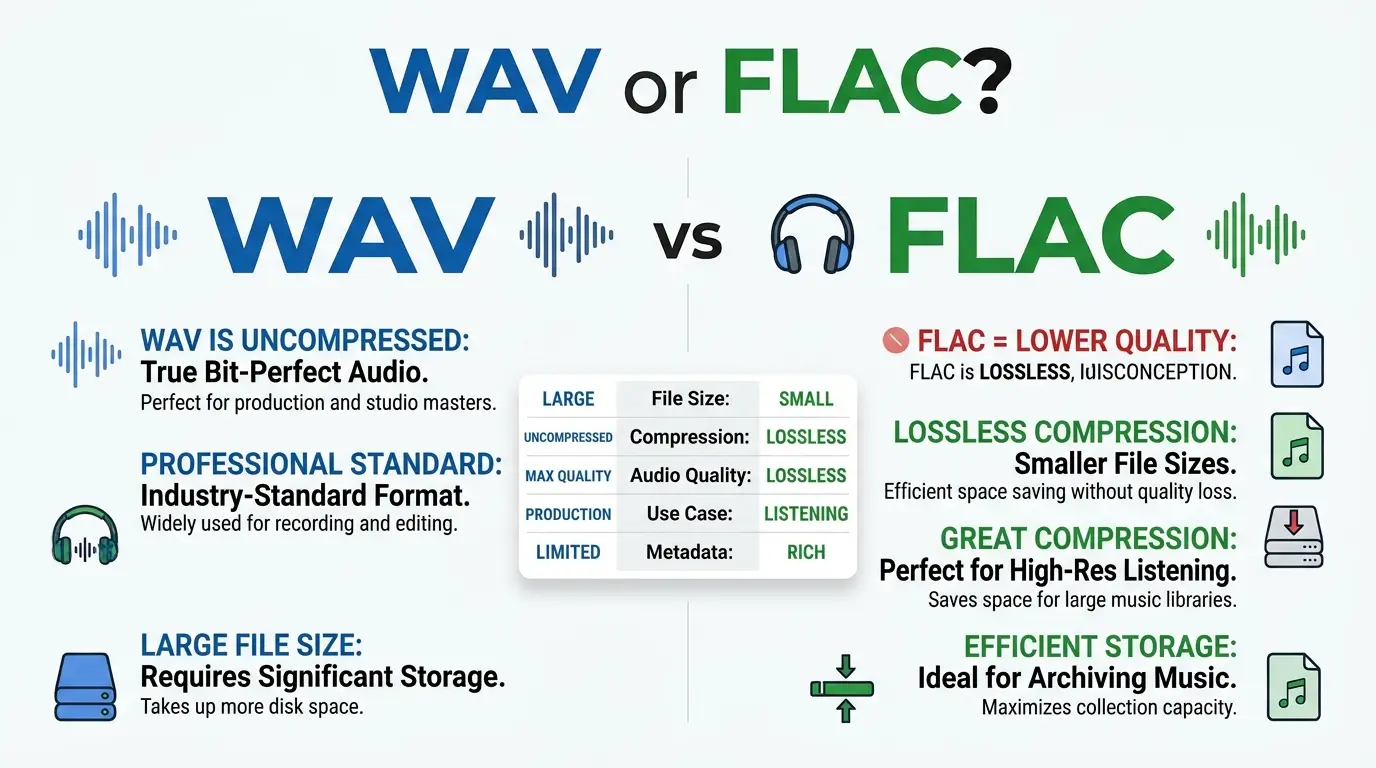
WAV is usually better for audio production and editing, while FLAC is usually better for storing and archiving lossless music efficiently. A typical WAV file stores PCM audio without compression, making it large but widely supported. FLAC compresses PCM audio without losing information, so it normally takes less storage while preserving the original audio data.
WAV or FLAC : Quick Answer
Here is the simplest way to choose:
- Choose WAV for recording, mixing, mastering, and editing workflows.
- Choose FLAC for lossless music libraries and long term storage when space matters.
- Choose WAV when maximum compatibility with professional audio software is your priority.
- Choose FLAC when you want lossless quality with a smaller file.
- Neither format is automatically “higher quality” when both contain the same source audio and equivalent sample rate and bit depth.
For example:
Recording a guitar track in a DAW → WAV
Keeping a large lossless music collection → FLAC
Sending a master file to a studio → WAV, if that is the studio’s requested format
Saving high quality music while reducing storage needs → FLAC
The important point is that WAV and FLAC are not simply two different levels of sound quality. They use different approaches to storing audio.
What Does WAV or FLAC Mean?
What is WAV?
WAV, short for Waveform Audio File Format, is a digital audio file format commonly associated with the RIFF container. A typical WAV file contains PCM audio, although the WAV container can also hold audio encoded with other codecs. Microsoft describes WAV as a file container rather than a single audio codec.
In everyday use, however, when someone says “WAV,” they usually mean uncompressed PCM audio.
This makes WAV useful for:
- Music recording
- Audio editing
- Sound design
- Mixing
- Mastering
- Professional production
- Audio interchange
Because uncompressed PCM stores the audio samples directly, WAV files can become quite large.
What is FLAC?
FLAC stands for Free Lossless Audio Codec. It is designed to compress PCM audio without throwing away audio information. When properly decoded, the resulting audio data is bit for bit identical to the original input.
That makes FLAC different from lossy formats such as MP3.
With FLAC:
Original PCM → FLAC compression → FLAC decoding → Original PCM
No musical information is intentionally discarded during this process.
FLAC is therefore useful for:
- Lossless music libraries
- Digital music archives
- High quality downloads
- Long term storage
- Reducing storage requirements
- Sharing lossless audio
The Origin of WAV or FLAC
How WAV developed
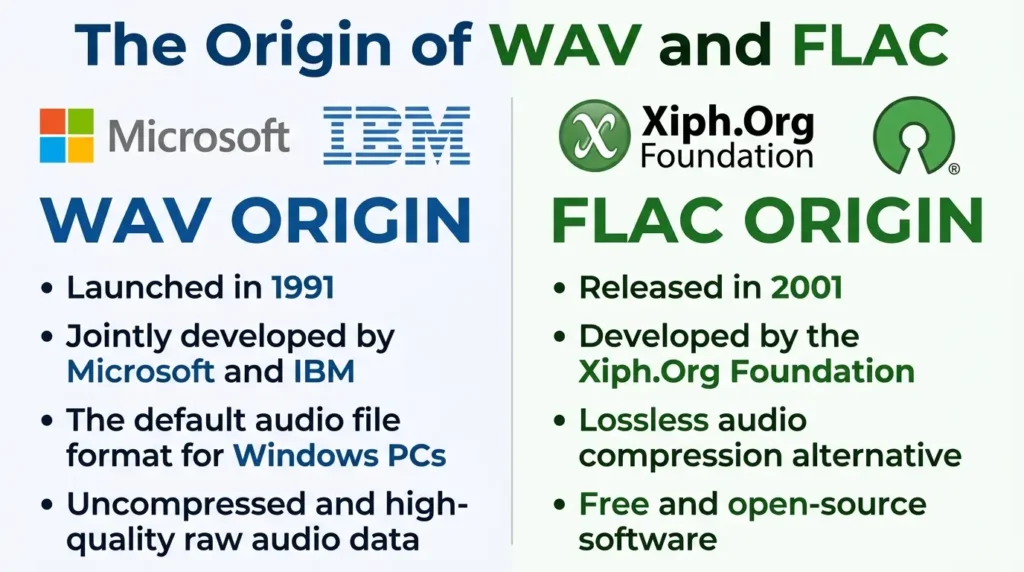
WAV emerged from Microsoft’s work with IBM around the RIFF multimedia file format. It became a common way to store waveform audio on Windows systems.
The format uses a chunk based structure. A basic WAVE file includes RIFF and WAVE identifiers along with format and audio data chunks
Over time, WAV became deeply established in computer audio and professional production.
How FLAC developed
FLAC was created as an open lossless audio codec. Its purpose was different from that of a typical uncompressed WAV file: instead of storing PCM samples directly, FLAC compresses them while retaining all the original information.
The modern FLAC specification is documented through IETF RFC 9639, and the Library of Congress describes FLAC as a lossless encoding format for PCM audio.
This helps explain why FLAC can offer smaller files without becoming a lossy format.
British English vs American English
Unlike spelling comparisons such as “colour” and “color,” WAV and FLAC do not have British and American spelling variants.
The terms refer to technical audio formats, so the names remain the same in both varieties of English.
| British English | American English | Example |
| WAV | WAV | “Save the recording as a WAV file.” |
| FLAC | FLAC | “The album is available in FLAC.” |
| audio file | audio file | “This audio file is too large.” |
| lossless audio | lossless audio | “FLAC is a lossless format.” |
British and American users may use different terminology in some technical writing, but WAV and FLAC themselves do not change spelling by region.
Style guides, software documentation, and technical publications generally preserve the official format names.
Which Version Should You Use?
There is no universal winner. Your workflow should determine the format.
United States
For professional recording and editing, WAV is a safe choice because it is widely supported in audio software and production environments.
For personal lossless music collections, FLAC can be more practical because it reduces storage requirements while preserving the audio data.
United Kingdom
The recommendation is essentially the same. Use WAV when a production workflow or client specifically requires it, and consider FLAC for efficient lossless storage.
Canada
Canadian users can use either format. The decision should be based on software compatibility, storage needs, and the intended use.
Australia
The same general rule applies. WAV is a strong production format, while FLAC is an efficient lossless storage format.
International Writing
For international audiences, avoid assuming that everyone has identical software support.
If you are sharing files with unknown recipients, check if their application or device supports FLAC. WAV is often the safer choice when compatibility is more important than file size.
Academic Writing
For academic or research projects, follow the requirements of the institution, archive, journal, or research project.
Do not convert between formats simply because one extension looks more professional. If the source needs to remain unchanged, preserve the original file and document any conversions.
Business Writing
If a client requests WAV, provide WAV.
If the purpose is simply to distribute a large collection of lossless recordings and the receiving system supports FLAC, FLAC can be a practical choice.
Common Mistakes With WAV or FLAC
Mistake 1: Assuming FLAC is lower quality
Incorrect idea:
“FLAC sounds worse because it is compressed.”
Correct:
“FLAC uses lossless compression.”
Why: Lossless compression reduces file size without discarding the original audio information.
Memory tip:
Lossless = no audio information lost.
Mistake 2: Thinking every WAV file is automatically uncompressed
Incorrect:
“Every WAV file is uncompressed.”
Correct:
“WAV is a container that commonly contains uncompressed PCM audio, but it can also contain compressed audio.”
Memory tip:
Think of WAV as the container and PCM as a common type of audio stored inside it.
Mistake 3: Believing WAV always sounds better
If a WAV and FLAC file contain the same source audio data, converting the FLAC back to PCM does not magically remove information. FLAC is designed to preserve that information exactly.
Mistake 4: Choosing based only on file extension
The extension tells you something, but not everything.
Sample rate, bit depth, channel configuration, source quality, and encoding method also matter.
A low quality recording saved as WAV does not become a high quality recording simply because the extension is .wav.
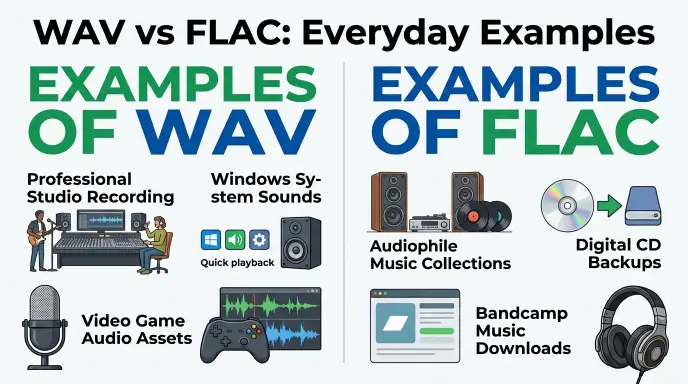
WAV or FLAC in Everyday Examples
Emails
WAV:
“Please send the WAV version of the voice recording.”
FLAC:
“I’ve attached the FLAC version to reduce the file size while keeping it lossless.”
Business Writing
“Please deliver the final audio as WAV according to the production specification.”
News Headlines
“New album released in high resolution FLAC.”
“Studio provides WAV masters for production.”
Blogs
“FLAC can be a practical choice for listeners who want lossless audio without keeping large uncompressed files.”
Social Media
A social platform may convert uploaded audio or video into another format. Therefore, keeping a WAV or FLAC master does not necessarily mean the final online stream will remain in that format.
Academic Writing
“The recordings were preserved in a lossless digital format.”
For formal work, specify the exact format and technical properties when they matter.
Daily Conversation
“Should I download the FLAC version or WAV?”
“If you’re just building a music library, FLAC may save space.”
Google Trends & Modern Usage
Searches for WAV or FLAC commonly reflect practical questions rather than spelling confusion. People often want to know which format has better sound quality, which one takes less space, which format is better for music production, and which one works with their device or software.
Modern audio users also encounter the terms in different contexts. Musicians may see WAV in recording and production software, while music collectors and high quality download services may encounter FLAC.
Usage can also vary by platform and application. Microsoft documentation, for example, documents WAV support extensively, while the Library of Congress describes FLAC as an open, fully documented lossless format.
Exact search interest numbers should not be assumed without a defined Google Trends comparison, location, and time range. Therefore, broad statements about popularity are more reliable than invented percentages.
WAV vs FLAC: Quick Comparison Table
| Version | Meaning | Correct? | Typical Role | Example |
| WAV | Waveform Audio File Format | Yes | Recording and production | .wav |
| FLAC | Free Lossless Audio Codec | Yes | Lossless storage and distribution | .flac |
| WAV PCM | WAV containing PCM audio | Yes | Uncompressed production audio | 24 bit PCM WAV |
| FLAC | Losslessly compressed PCM audio | Yes | Efficient lossless library | 24 bit FLAC |
| MP3 | Lossy compressed audio | Yes | Small everyday audio files | .mp3 |
WAV vs FLAC: Which Is Better for You?
| Feature | WAV | FLAC |
| Lossless possible | Yes | Yes |
| Typical compression | Usually uncompressed PCM | Lossless compression |
| File size | Usually larger | Usually smaller |
| Audio information | Preserved when using PCM | Preserved |
| Recording workflows | Excellent | Less commonly the default |
| Editing workflows | Excellent | Supported by some software, but workflow dependent |
| Music archiving | Good | Excellent |
| Metadata | Supported, but handling varies | Strong lossless library option |
| Compatibility | Very broad | Broad, but not universal |
| Storage efficiency | Lower | Higher |
| Best for | Production | Lossless storage |
The biggest difference is how the audio is stored, not if one format is “real” high quality and the other is not.
Key Takeaways
- WAV and FLAC can both preserve audio without lossy quality reduction.
- WAV is commonly used for uncompressed PCM audio.
- FLAC uses lossless compression to reduce file size.
- FLAC does not become lossy simply because it is compressed.
- WAV is often a strong choice for recording, editing, mixing, and production.
- FLAC is often a better choice for lossless music libraries and storage efficiency.
- Neither format automatically sounds better when they represent the same audio data.
- Always check the requirements of the software, device, studio, or client before choosing a format.
FAQs
- What is the difference between WAV and FLAC?WAV is uncompressed audio ideal for editing, while FLAC uses lossless compression to save storage without losing quality.
- Does FLAC sound worse than WAV?No, both sound identical because FLAC restores the original audio bit-for-bit during playback.
- Is FLAC smaller in size than WAV?Yes, FLAC files are typically 50% smaller than equivalent WAV files.
- Should I use WAV or FLAC for listening to music?FLAC is better for listening because it offers studio-quality sound while using significantly less disk space.
- Which format is best for audio editing?WAV is the industry standard for recording and editing in digital audio workstations (DAWs).
- Does converting FLAC to WAV improve audio quality?No, conversion only changes the file container without adding or losing audio data.
- Is WAV or FLAC better for long-term archiving?FLAC is ideal for personal music archives due to smaller file sizes, while WAV is preferred for master production archives.
Conclusion
Choosing between WAV or FLAC is less about finding a universal winner and more about choosing the right format for the job.
WAV is commonly associated with uncompressed PCM audio and remains a practical choice for recording, editing, mixing, mastering, and professional audio workflows. FLAC takes a different approach by compressing PCM audio without losing the original information.
For a personal music library, FLAC is often the smarter option when you want lossless quality without keeping unnecessarily large files. For production work, WAV is often the simpler and more widely expected choice, especially when a studio or client specifies it.
The key point is simple: FLAC is compressed, but it is not lossy. A correctly encoded FLAC file can reproduce the original PCM audio exactly.
When in doubt, choose based on purpose, compatibility, storage, and workflow, not the assumption that a larger file must sound better.
Remember: WAV is often the production choice, while FLAC is often the efficient lossless storage choice.
Discover More Articles!
Understanding the Difference Between Lynx and Linx(2026)
Bended or Bent: Which One Is Correct?
Of or For: Which Preposition Is Correct?

Ethan Parker is an English-language writer known for his interest in words, language, and clear communication. His work focuses on making everyday English easier to understand through simple explanations and practical examples.